
Drone music has long been about immersion, experimentation and deep, evolving soundscapes. International Drone Day — originally dreamed up by MCLF of Weird Canada and brought to life by drone heads and synth communities around the world — celebrates exactly that spirit of exploration through sound.
At Stylophone, we’ve proudly celebrated International Drone Day ever since the launch of our portable analogue drone synth, the DS-2. This year, we’ve gone one step further by creating four new videos from our expanded Patchbook, designed to help you start droning with our gear.
Whether you want to create rich ambient textures with the Gen X-2, explore modulation on the DS-2, experiment with resonant feedback on the DF-8, or combine the DS-2 and DF-8 Multi-Filter for huge evolving soundscapes, these tutorials will guide you through a range of creative drone techniques.
Plug in, tune up, and get lost in the drone.
Head on over to our resource page to download the latest Patchbook for more ideas.
And of course, don’t forget to share your creations with us! Tag us in your posts.
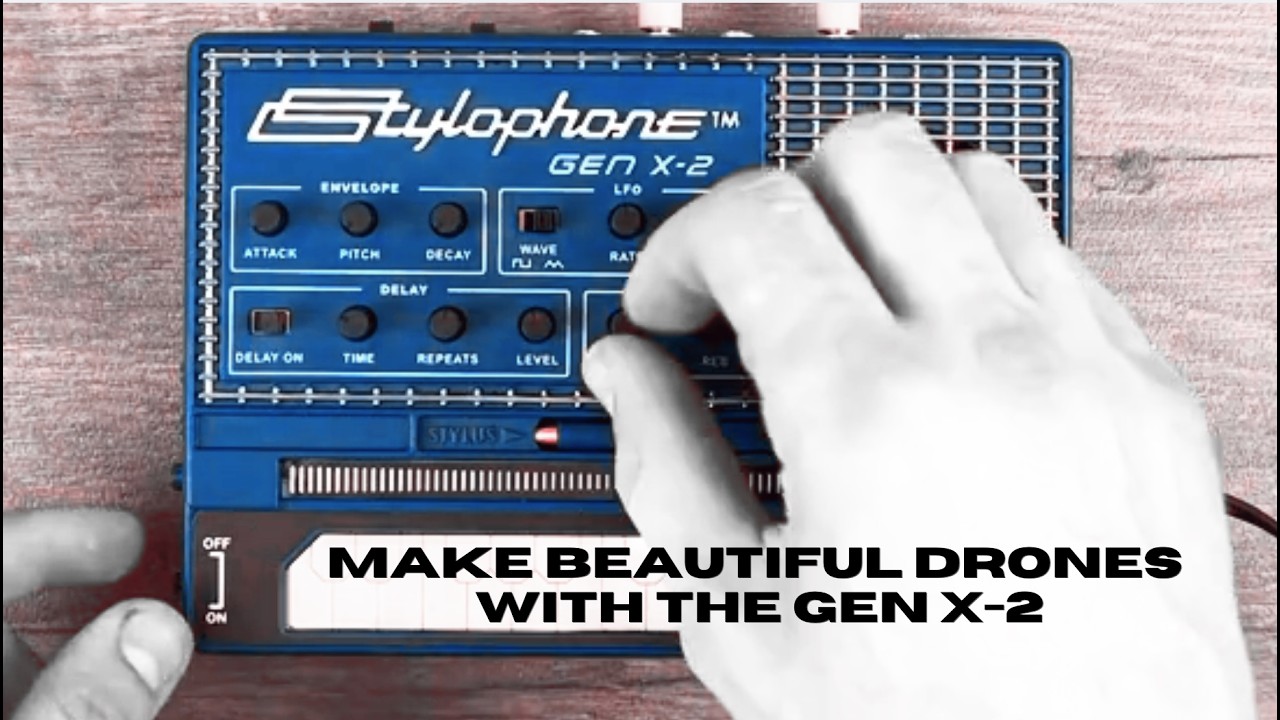
THE ANALOG PORTABLE SYNTH – THE GEN X-2
On the Stylophone Gen X-2, we can set up a drone mode by holding a note on the keyboard with the stylus, then plugging Gate Out back into Gate In.
Once that’s connected, we can still play it on the keyboard. Every time we release the stylus, it will return back to that held B note.
Of course, we can also bring in the LFO and the X-Mod, use the octave switches, the octave switch on the back, and add some delay. With all of these controls combined, we can get some pretty cool drones going on this synth.
The envelope is essentially disabled because it’s not being re-triggered, so these two controls won’t do anything. However, the pitch control then acts more like a fine tune control, enabling you to tune the synth without having to flip it over.
[ LEARN MORE ABOUT THE GEN X-2 ]
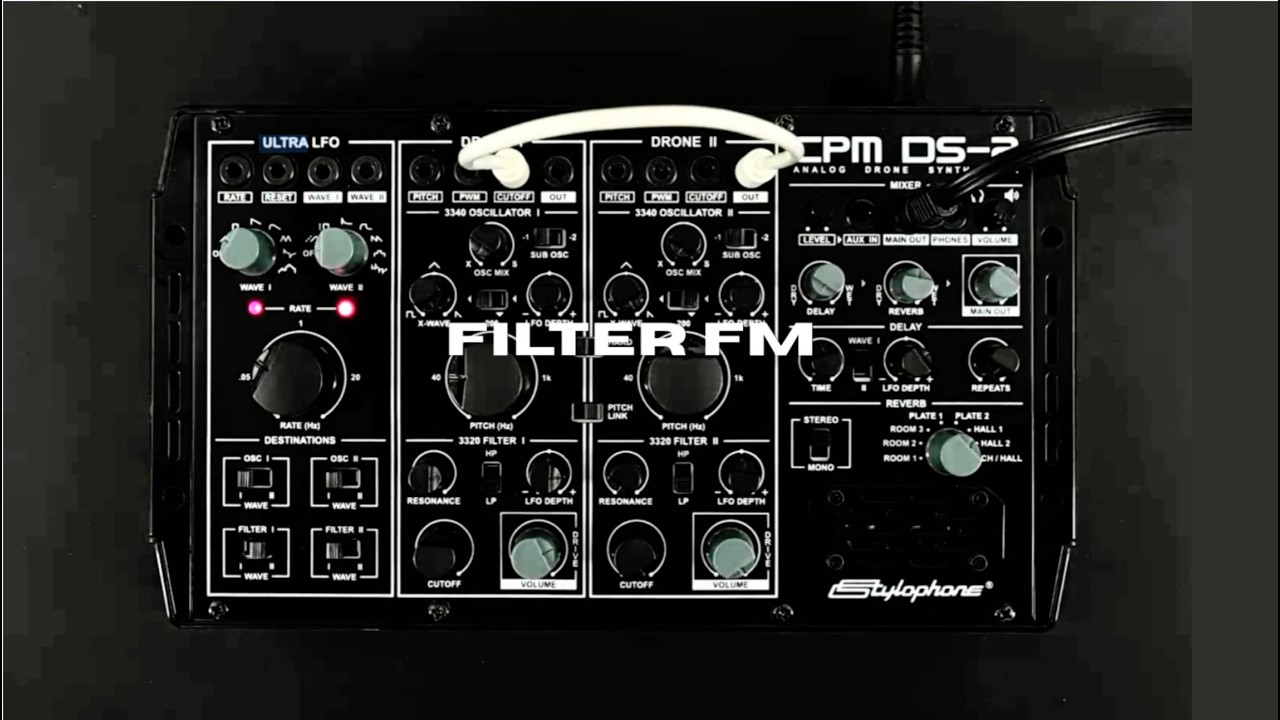
THE CPM ANALOG DRONE SYNTH DS-2
This patch works by moving Drone 1’s cutoff around at audio rate.
Start by turning down Drone 1 so we can just hear Drone 2. Pitch Link is switched on, and the pitch is set to the middle. This means any changes to the pitch in Drone 1 will also be matched in Drone 2.
The output is set to a saw wave, and we’ve got the LFO linked to pitch, with the LFO depth turned up just slightly. This means the pitch will drift around a little bit.
Resonance is turned down and the cutoff is all the way open. This means we just get the raw output from Drone 2. Turn its volume all the way up, but plug in a patch cable — we’ll need this later.
Over on Drone 1, the pitch is set to 9 o’clock. We also have a saw wave selected, but the routing switch for the LFO is set to X-Wave. This stops it from affecting the pitch.
We’ve got the cutoff set to 12 o’clock and the resonance at 3, giving us quite a big resonant peak.
Now, when we plug the output of Drone 2 into the cutoff of Drone 1, the filter is going to get moved around at audio rate.
For a more extreme sound, try turning up the pitch LFO on Drone 2. Also, let’s try adding a bit of reverb.
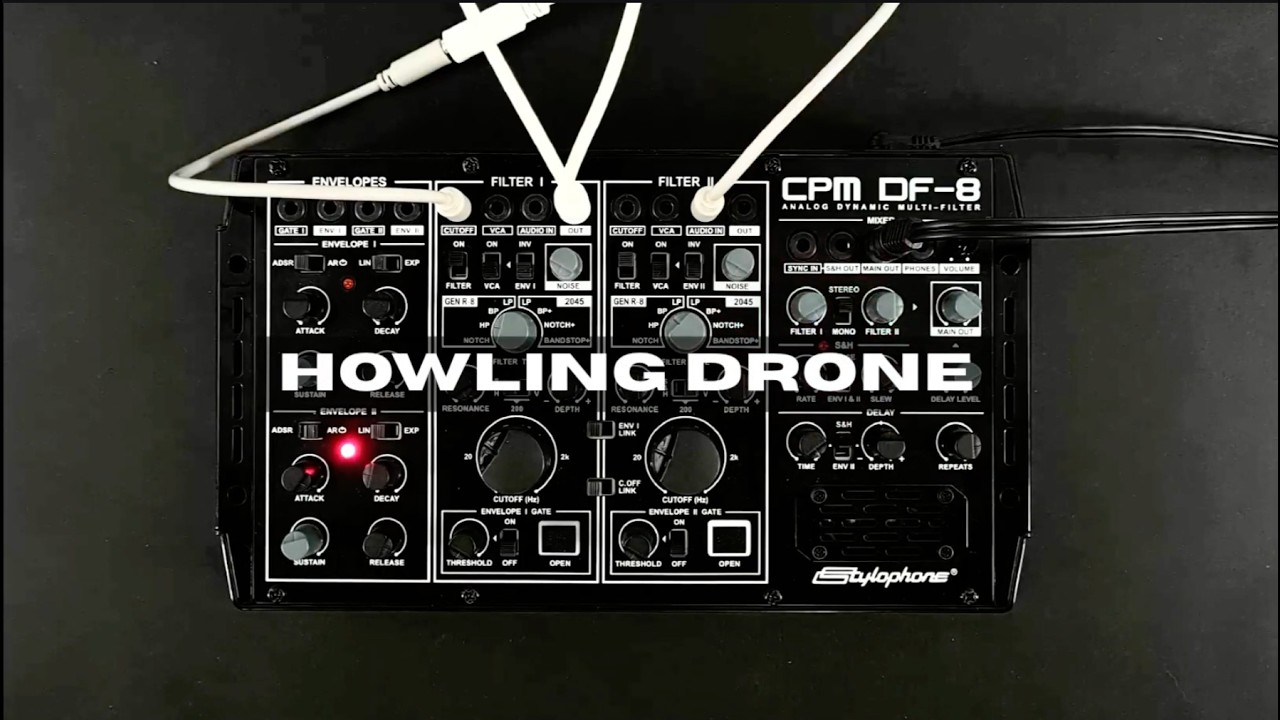
THE CPM ANALOG DYNAMIC MULTI-FILTER
In this video, we’re going to explore one method of using the CPM DF-8 to make drones.
Normally on the DF-8, noise and resonance are the only internal audio sources. However, there are a few methods we can use to get tones out of the DF-8.
First, set both filter VCAs to bypass to make them audible. Select a high-pass filter for Filter 1, turn its resonance all the way up, and set its cutoff to about 10 o’clock.
By plugging a splitter cable into the output of Filter 1, we can copy its output. One of those outputs will then be fed back into the cutoff. Because of the filter type we’ve chosen and the high resonance setting, this effectively turns Filter 1 into an oscillator.
The modulation source for the cutoff is set to Sample & Hold. This slightly moves the cutoff around, giving a little bit of drift to the pitch.
By plugging the other output from the splitter cable into Filter 2’s audio input, we can process the sound further. By setting Envelope 2 to loop, we can slowly move the cutoff of Filter 2 around, creating a nice shifting drone sound.
We can also add some delay to help fill out the drone even more.
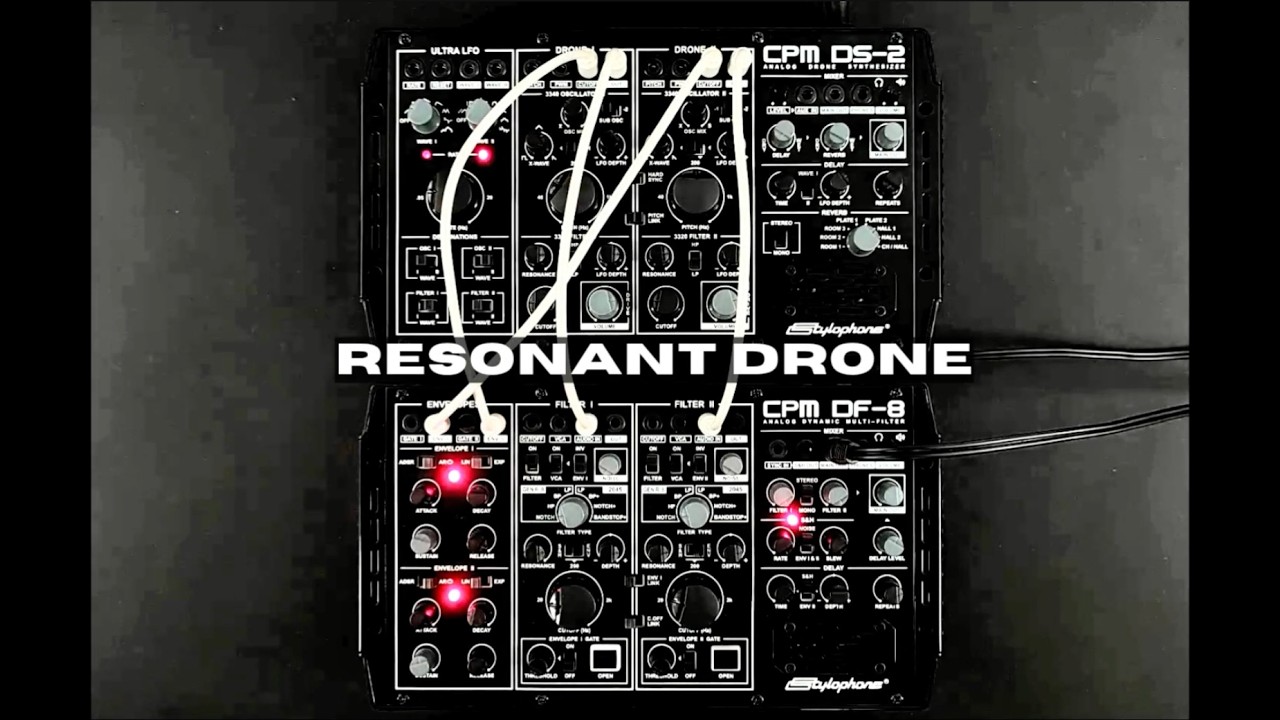
THE CPM TWO VOICE
In this video, we’re going to combine the output of the DS-2 with the filters of the DF-8 to create a highly resonant drone.
By using the oscillators, filters and LFO in the DS-2, combined with the envelopes and additional filters in the DF-8, we can add lots and lots of movement to our sound.
First off, let’s look at the output of the DS-2. Both drone sections are set up the same. Pitch Link is used and Drone 2’s pitch is set to the centre. This means the output of both oscillators is the same.
The LFO is set to subtly move the waveform and the cutoff, but in different directions. By patching in looping envelopes from the DF-8, we can add even more movement to the cutoff of our filters.
Once we patch the drone outputs from the DS-2 over to the filter inputs on the DF-8, the DS-2 will fall silent. Now let’s listen to the output of the DF-8.
Our filter types are set to notch, which is a really subtle filter type, but we have a high resonance, adding a big peak into our filters. The looping envelopes from the DF-8 are moving the cutoff around too.
The output is set to stereo, meaning the two filters are panned left and right, creating a big stereo field.
By turning up the delay, we can reinforce the centre of this stereo image too.